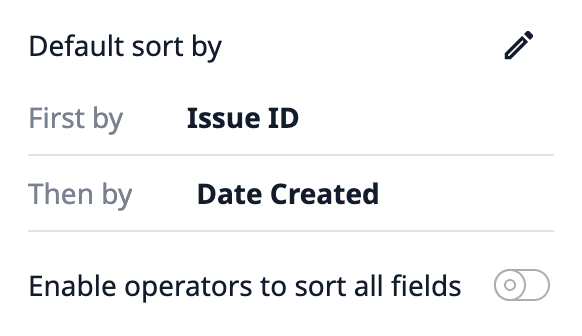
The new sorting functionality is established by default on all interactive tables. We use a table that is automatically filtered and we do not want the operator to be able to change the order the rows are displayed. Also, the sort button itself messes with the column header text and creates text wrapping that is not shown in the editor.
@thorsten.langner could you give it a try on the latest release? Part of our change was to make the selected columns all sortable outside of the sorting hierarchy. Let us know if this behavior is undesirable.
I can’t test it currently because we still have the sorting on all columns by default… the next release should be available in a couple of days and I can retest it then.
Great callout - keeping an eye on upvotes here for that “Back to Default” button, and we’ll also see if that’s a quick thing we can fit in.
@thorsten.langner if the Operator reloads the step (e.g. by navigating to/from another step) the table sort would revert to the default. Is that a good workaround for now?
Granted that’s not as UX-friendly as an explicit revert button.
If I make a transition to the step itself, it does not revert.
If I switch the step and navigate to the step with the table again it seems to revert.
However, this is not always an option, because there is tons of step enter triggers restarting. This might break the process, if you only want to revert the sorting.
Agreed there are limitations to refreshing the step itself. We’ll both size an improvement to enable “Revert to Default Sort” and keep an eye on upvotes to help with prioritization.