Hi all, I have been trying to connect with our client’s Ignition OPC UA server via Tulip. The client has provided us Ignition credential (username and password). We use those in ‘Authentication Method’ which is set to ‘UserName’.

The data source is setup and the test is successful when we set the ‘Security Mode’ to ‘None’ but the issue arises when we set the ‘Security Mode’ to ‘Sign & Encrypt’.
For ‘Sign & Encrypt’, we had generated our cert and key for use in Tulip (used Git Bash on our windows device to generate those). Now, when we are testing, hoping to see a cert in Ignition for the client to approve, but no luck so far.
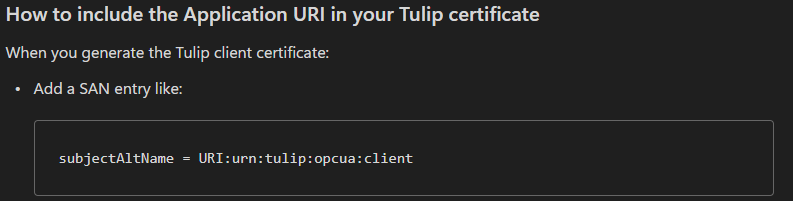
After chatgpt’ing this, it gave us bunch of suggestion and one seems to stand out, which was ‘Application URI mismatch (BadCertificateUriInvalid) → Regenerate Tulip cert with SAN URI that matches the client Application URI Tulip presents.’
In our cert, this ‘Subject Alternative Names’ field is missing. My next test would be to regenerate the cert with this SAN field (and it also seems to have a format) and try connecting again.
Thanks for sticking with me, now to my question, anyone here with any experience connecting to Ignition’s OPC UA? If yes, were you able to get it done with the ‘Sign & Encrypt’ security mode?
And if nobody’s has done this, can anyone from Tulip (who has experience with Ignition and OPC UA) chip in?
g’day 