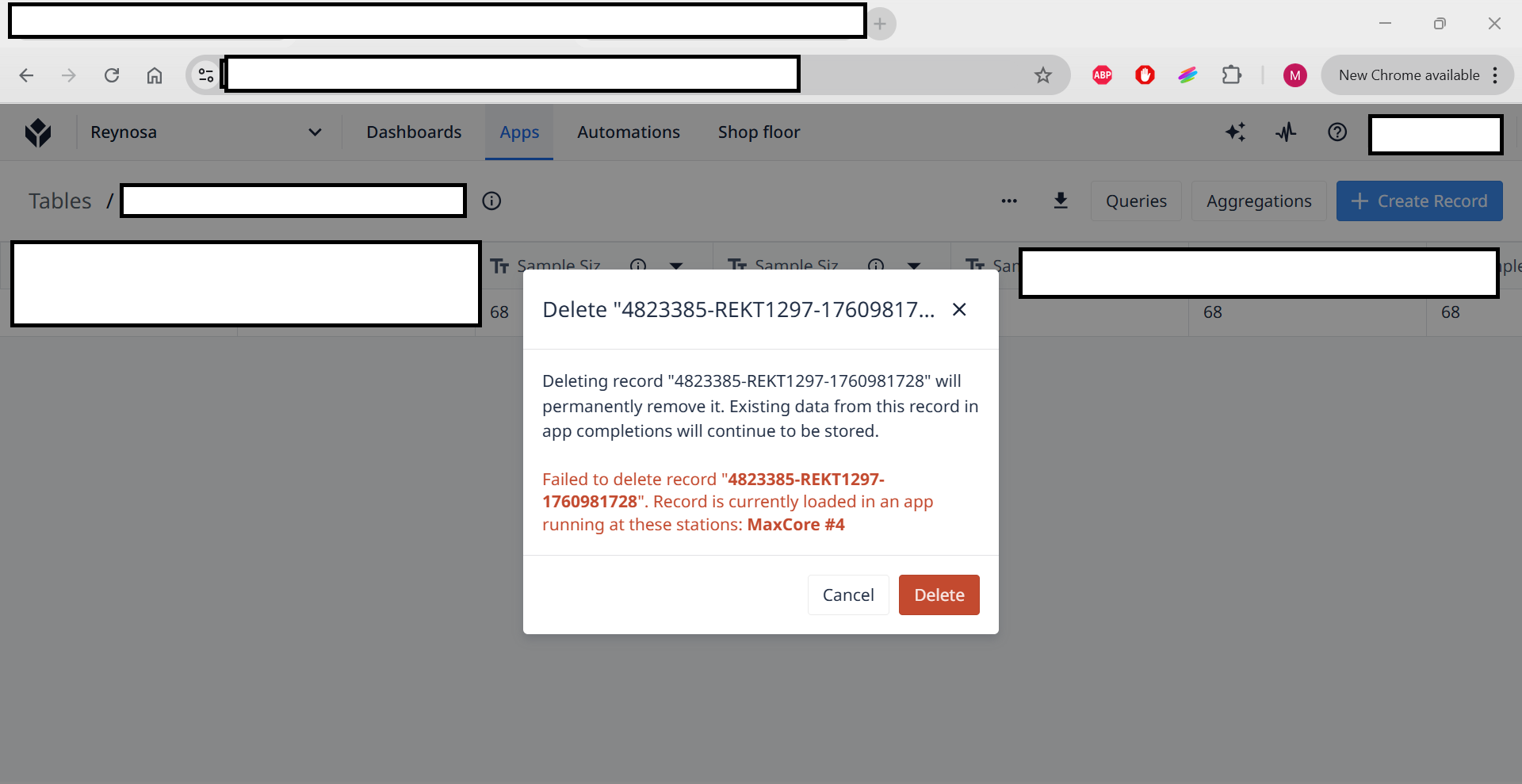
Currently i’m trying to get rid of a record I generated when testing my app but now i’m trying to delete it but Tulip says the record is currently in use by MaxCore #4 Station but i already shut down every device where i was testing, i also double check in stations and interfaces in Tulip it shows de device and station to be offline, it’s the second time it happens to me but the first time it just got fixed by itself after 1 day
Best luck I have had in that situation is to restart the application at the station and then click the ‘Begin’ button to load in the app again. It usually clears what ever placeholder was there. Also ensuring all dev mode windows are closed that may have been using the record.
Actually it is, if you read the topic you’ll see that all stations were off and even tho Tulip was saying there was a station using the record and again in the text you can see that those were testing records so I don’t need the delete function
Per Tulip’s Player logout behavior page, an app is cancelled (and table records are cleared) upon logout within the Tulip app. Computer shutdown and logout does not cancel the app. The rationale behind this decision is touched on in this thread.
There might be instance settings available to modify this behaviour, but I’m not aware. @jakerigos may be able to shed some light.
In this case I didn’t shut down the computer directly but I closed Tulip’s player without login out, just clicked the close button at the top, maybe it will be good to tell the users to log out every time, at least when the user session is kicked out automatically i’m sure the placeholders gets cleared
There is an article about this and as I read it the automatic logout will kick in if the user is idle and it will cancel the run of the application, meaning that the placeholders will be cleared. I read this also if user has shut down the player or the computer, because the user idle time is captured by Tulip System.
“Automatically Log Out Inactive Users: If toggled on, the operator will automatically be logged out of the Player after a certain time interval since the last time they interacted with the screen. The default is set to 15 minutes, but it is customizable. This will cancel the run of the application so that it cannot be resumed by another operator.”